
Share this
by Tiffany Gutierrez on Mar 13, 2026

To add FAQ schema to a HubSpot blog post, use an automated solution like HubSpot AEO & Schema Tools (available in HubSpot market place) to generate the required JSON-LD code. This eliminates manual coding and errors, allowing you to simply connect your account, select the post, and automatically deploy a validated schema.
What You'll Learn
This guide will walk you through everything you need to know to effectively implement FAQ schema and enhance your Answer Engine Optimization (AEO) strategy. Here’s a quick overview:
- Why FAQ Schema is Critical: Understand how structured data transforms your content for search engines and AI assistants.
- The AEO Advantage: Learn how schema makes your content a prime source for platforms like ChatGPT, Perplexity, and Google SGE.
- The Manual vs. Automated Approach: Discover the challenges of manual implementation and the efficiency of using a dedicated tool.
- A Step-by-Step Walkthrough: Follow our clear, actionable steps to add FAQ schema to your HubSpot blog posts using an automated tool.
What is FAQ Schema and Why is it Crucial for AEO?
Before we dive into the "how," let's quickly cover the "why." Understanding the purpose of schema markup is the key to mastering modern SEO and AEO.
Understanding Schema Markup (JSON-LD)
Think of schema markup as a translator for search engines. Your blog post is written for humans, but schema markup (specifically in the JSON-LD format) is code that tells search engines and AI systems what your content means.
It’s the difference between a search engine seeing a list of questions and answers, and understanding that it's a "Frequently Asked Questions" section. This structured data is the backbone of rich snippets, knowledge panels, and the detailed answers you see in search results.
The Rise of AEO (Answer Engine Optimization)
As search evolves into a conversational experience with AI assistants like ChatGPT, Perplexity, and Google SGE, AEO is becoming critical. These platforms are designed to provide direct, concise answers, not just a list of links. They actively seek out well-structured, authoritative content to use as sources.
By implementing FAQ schema, you are formatting your content exactly how these answer engines prefer to consume and cite information. This dramatically increases the likelihood that your blog post will be featured as the source for an AI-generated answer.
The Challenge: Adding Schema Manually in HubSpot
While you can technically add schema markup manually to a HubSpot blog post by editing the page's HTML head, this method is fraught with challenges:
- It's Time-Consuming: Writing JSON-LD code for every FAQ section on every blog post is a tedious, repetitive task.
- It's Technically Complex: A single misplaced comma or bracket can invalidate the entire schema, rendering it useless.
- It's Difficult to Scale: For teams managing dozens or hundreds of blog posts, manual implementation is simply not a sustainable strategy.
This is where automated solutions become essential.
Step-by-Step: Adding FAQ Schema with HubSpot AEO & Schema Tools
Using a dedicated tool built for HubSpot is the most efficient and error-proof way to implement FAQ schema. Here’s how you can do it with HubSpot AEO & Schema Tools a solution designed to automate this entire process.
Step 1: Connect Your HubSpot Account
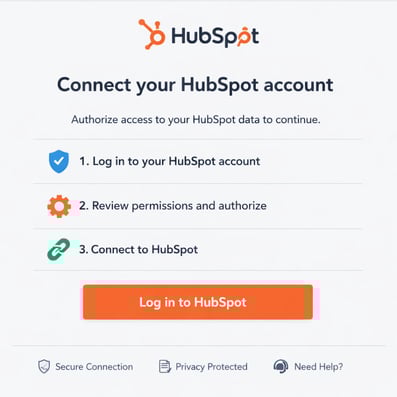
First, securely connect your HubSpot portal to the tool. This allows the system to access your blog posts and other website pages without requiring you to manually copy and paste content or code. The integration is designed to be seamless and takes only a few clicks.
Step 2: Select Your Target Blog Post
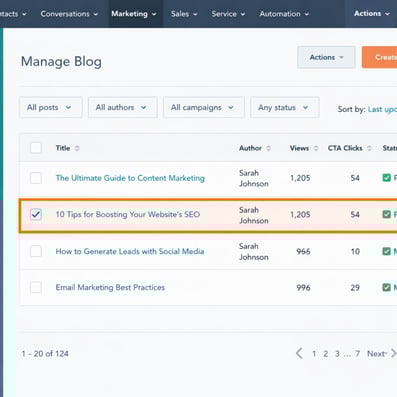
Once connected, navigate to the dashboard and select the specific blog post you want to enhance with FAQ schema. The tool will pull a list of your published pages, making it easy to find the content you want to optimize.
Step 3: Let the Tool Identify and Generate the Schema
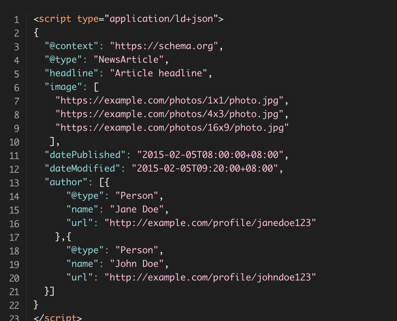
This is where the automation shines. The HubSpot AEO & Schema Tools will automatically scan the content of your selected blog post, identify the question-and-answer pairs that qualify for FAQ schema, and generate the clean, optimized JSON-LD code for you. You don't have to write a single line of code.
Step 4: Validate and Publish
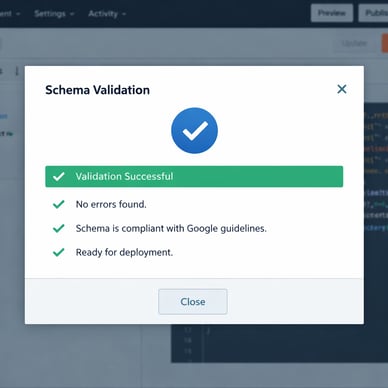
Before deploying, the generated schema is automatically validated to ensure it’s free of errors and compliant with Google's guidelines. Once validated, you can publish the schema directly to your blog post's header with one click. The tool injects the code in the correct location without you ever needing to open HubSpot's settings.
Step 5: Monitor Your Performance

After publishing, use Google Search Console to submit your updated URL for re-indexing. You can then monitor the "Enhancements" report to confirm that Google has recognized your new FAQ schema.
Why Use an Automated Tool? The Benefits of HubSpot AEO & Schema Tools
Moving from a manual process to an automated one provides immediate, tangible benefits for any marketing, content, or SEO team.
- Eliminates Manual Coding & Errors: The primary benefit is saving time and avoiding the technical headaches of writing and debugging JSON-LD. This frees up your team to focus on creating great content, not managing complex code.
- Optimizes for AI-Powered Search: HubSpot AEO & Schema Tools ensures your content is perfectly structured for AEO, making it easily discoverable and citable by AI assistants. This is a crucial step in future-proofing your content strategy.
- Ensures Scalability and Consistency: Whether you're a digital agency managing multiple client portals or a content manager with a large library of posts, automation allows you to implement schema consistently across all your content at scale.
- Improves Search Visibility: Correctly implemented FAQ schema makes your content eligible for rich snippets in Google Search, which can improve your click-through rate and drive more organic traffic.
The Bottom Line: Your AEO Superpower
Adding FAQ schema is no longer a "nice-to-have"—it's a foundational element of a successful AEO and SEO strategy. While the manual process is cumbersome and prone to error, leveraging a dedicated solution like HubSpot AEO & Schema Tools transforms a complex technical task into a simple, scalable part of your workflow. By properly structuring your content, you make it easier for both search engines and users to find the answers they need, positioning your brand as an authority in the age of AI-powered search.
No Comments Yet
Let us know what you think