
Share this
How to Optimize the HubSpot Lead Object for Higher MQL-to-SQL Conversion
by Maddy Mutch on Mar 13, 2026
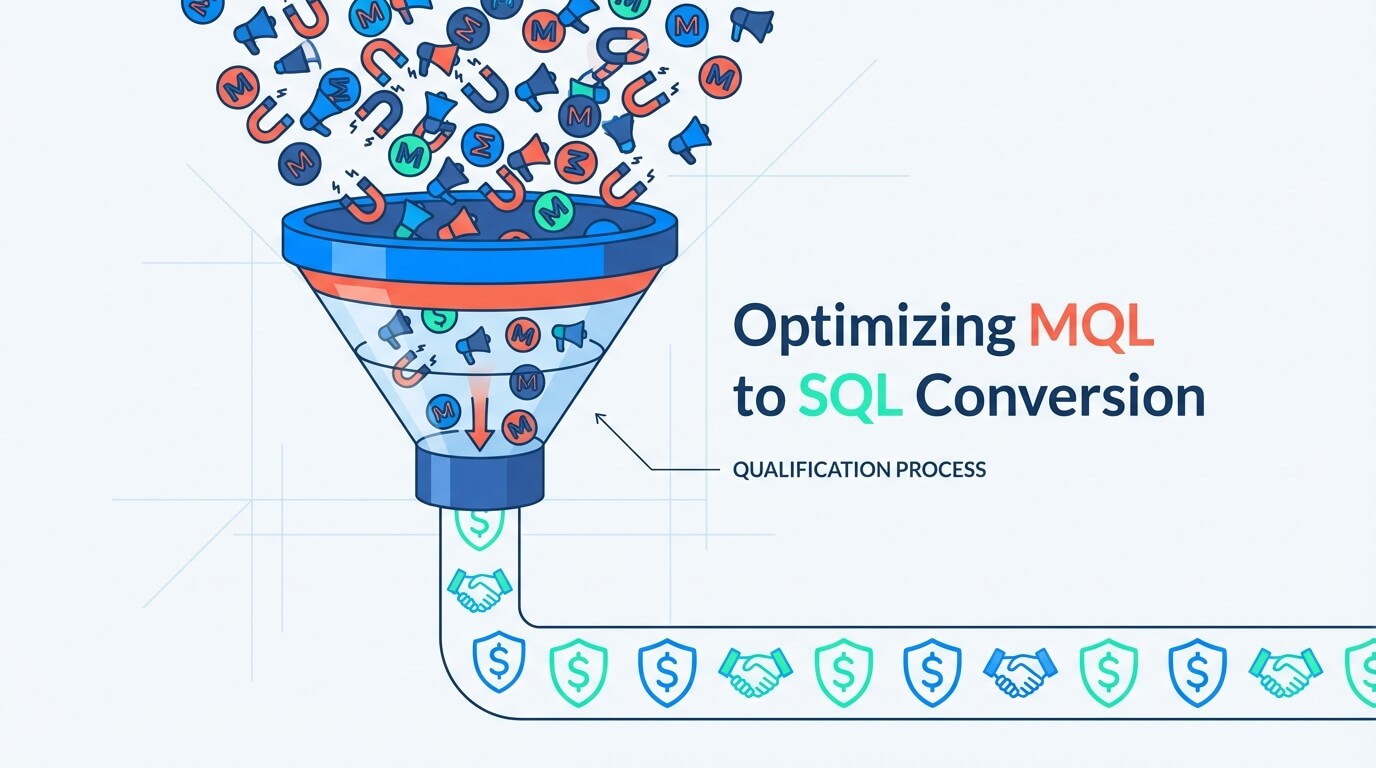
To optimize the HubSpot Lead Object for better MQL-to-SQL conversion, formalize your handoff process with defined lead stages, automate lead creation and routing the moment a contact becomes an MQL, and use the dedicated Sales Workspace to ensure rapid, focused follow-up from your sales team.
What You'll Learn
This article provides a step-by-step guide for Revenue and Sales Operations leaders to bridge the gap between marketing and sales. You’ll learn how to:
- Structure a clear, repeatable MQL-to-SQL handoff process using the HubSpot Lead Object.
- Leverage automation to instantly create and assign leads for faster response times.
- Empower your sales team with a dedicated workspace that eliminates guesswork and boosts efficiency.
- Measure and refine your funnel with precise, lead-specific reporting to identify and fix bottlenecks.
The Problem: Why MQLs Get Lost on the Way to SQL
For years, the handoff from Marketing Qualified Lead (MQL) to Sales Qualified Lead (SQL) has been a leaky part of the funnel. Marketing generates interest, flips the Lifecycle Stage property on a contact, and hopes for the best.
This old method creates several problems:
- Lack of Clarity: A single "Lead Status" property on a contact doesn't capture the nuances of the qualification process. Is the rep actively working the lead? Have they connected?
- No Accountability: Without a formal process, MQLs can sit untouched for days, drastically reducing the chance of conversion.
- Cluttered Pipelines: To manage their work, reps often create "pre-deals" that aren't real opportunities, muddying your sales pipeline and making forecasting a nightmare.
The solution is to treat qualification as a distinct, measurable process. This is precisely what the HubSpot Lead Object was designed for. It acts as a dedicated record for the "pre-deal" qualification work, bridging the gap between an MQL contact and a true sales opportunity.
5 Steps to Optimize Your MQL-to-SQL Funnel with the HubSpot Lead Object
Follow these five steps to build a high-performance conversion engine that turns more of your hard-won MQLs into qualified pipeline.
Step 1: Define Your Lead Stages from MQL to SQL
Before you can optimize, you need a defined process. The HubSpot Lead Object allows you to create a separate pipeline with stages specifically for qualification. This formalizes the journey an MQL takes to become an SQL.
A typical set of lead stages for an MQL handoff includes:
- New: The MQL has just been assigned. An automation has created a HubSpot Lead Object record, and it’s waiting for a sales rep to pick it up.
- Attempting: The rep has started their outreach (emails, calls, social touches) but hasn't connected with the prospect yet.
- Connected: A two-way conversation has started. The prospect has replied to an email, answered a call, or a meeting has been booked.
- Qualified: The rep has confirmed the lead meets your SQL criteria (e.g., budget, authority, need, and timing). This is the finish line.
- Disqualified: The rep has determined the lead is not a good fit at this time.
How the HubSpot Lead Object Helps: These stages exist on the lead record itself, not the contact. This allows you to track each qualification attempt separately over time, giving you a crystal-clear view of your process.
Step 2: Automate the Handoff with Lead Creation and Routing
Speed is the single most important factor in converting an inbound MQL. The HubSpot Lead Object allows you to automate the handoff for instant action.
Instead of just notifying a rep that a contact is now an MQL, build a HubSpot workflow with this trigger: “When a Contact’s Lifecycle Stage changes to MQL.”
This workflow should automatically:
- Create a new Lead record associated with that contact.
- Assign the Lead to the correct sales rep based on your routing rules (e.g., round-robin, territory, or product line).
- Create a task for the rep to follow up within your agreed-upon Service Level Agreement (SLA).
How the HubSpot Lead Object Helps: This automation moves the MQL from a passive contact in a list to an active, assigned task in a sales rep’s queue. The HubSpot Lead Object becomes the operational record for the sales team to work from, ensuring no MQL ever falls through the cracks.
Step 3: Empower Reps with a Focused Prospecting Workspace
Your sales team shouldn't have to hunt through contact lists or cluttered deal boards to find their MQLs. The HubSpot Lead Object powers a dedicated prospecting workspace that functions as a focused to-do list.
This workspace typically features:
- A Kanban-style Board: Reps can see all their assigned MQLs organized by the lead stages you defined in Step 1.
- Action-Oriented Views: The interface prioritizes next steps like logging calls, sending emails, or enrolling prospects in sequences.
- Clear Separation: This workspace is entirely separate from the main deal pipeline, keeping your forecast clean and allowing reps to focus purely on qualification.
How the HubSpot Lead Object Helps: By providing a dedicated space to manage pre-deal qualification, the HubSpot Lead Object eliminates distractions and guides reps to take the right action on the right MQL at the right time, significantly improving focus and productivity.
Step 4: Enforce Follow-Up with Automated SLAs
What happens if an MQL sits in the "New" stage for more than 24 hours? With the HubSpot Lead Object, you can build automation to enforce your SLAs.
Create workflows based on the lead record’s properties, such as "Time in Stage." For example:
- If a Lead is in the "New" stage for more than 1 day: Send a reminder notification to the lead owner.
- If a Lead is in the "Attempting" stage for more than 7 days without a logged activity: Create a task for the sales manager to review the lead.
How the HubSpot Lead Object Helps: Because each HubSpot Lead Object is a distinct record with its own properties and timestamps, you can build powerful automation to ensure consistent and timely follow-up, which is critical for converting MQLs before they go cold.
Step 5: Track and Refine with Lead-Specific Reporting
You can't improve what you don't measure. The HubSpot Lead Object unlocks a new layer of analytics focused entirely on the top of your funnel.
You can now build reports to answer critical questions like:
- What is our conversion rate from the "New" to the "Connected" stage?
- How long, on average, does it take for an MQL to move from "New" to "Qualified"?
- Which sales reps are most effective at converting their assigned MQLs into SQLs?
- What are our top reasons for disqualifying leads?
How the HubSpot Lead Object Helps: This reporting provides a precise, data-driven view of your MQL-to-SQL funnel performance. It allows you to identify bottlenecks, coach your team, and make informed decisions to continuously improve your conversion rates.
The Bottom Line: From a Leaky Funnel to a Conversion Engine
By optimizing your process with the HubSpot Lead Object, you transform the ambiguous MQL-to-SQL handoff into a structured, measurable, and highly efficient system. You get cleaner data, your sales team gets a focused workspace, and most importantly, you convert more marketing-generated interest into qualified sales pipeline.
Frequently Asked Questions
What is the HubSpot Lead Object and why is it important?
The HubSpot Lead Object is a dedicated record designed to manage the "pre-deal" qualification process. It is important because it bridges the gap between a Marketing Qualified Lead (MQL) and a true sales opportunity, solving common problems like lack of clarity, poor accountability, and cluttered sales pipelines by treating qualification as a distinct, measurable process.
How does the HubSpot Lead Object improve the MQL-to-SQL handoff?
It improves the handoff by formalizing the process with defined lead stages (e.g., New, Attempting, Connected, Qualified). It also enables automation to instantly create a Lead record and route it to the correct sales rep the moment a contact becomes an MQL. This ensures a faster response time and moves the MQL from a passive contact to an active, assigned task in a sales rep's queue.
What are the key benefits of using the dedicated prospecting workspace with the Lead Object?
The dedicated prospecting workspace provides a focused, Kanban-style board where sales reps can see and manage all their assigned MQLs by stage. This eliminates distractions, separates pre-deal qualification activities from the main sales pipeline to keep forecasting clean, and guides reps to take the right action on the right MQL, which significantly boosts their focus and productivity.
Share this
- September 2026 (2)
- August 2026 (2)
- July 2026 (5)
- June 2026 (7)
- May 2026 (4)
- April 2026 (24)
- March 2026 (43)
- February 2026 (20)
- January 2026 (20)
- December 2025 (1)
- November 2025 (1)
- September 2025 (34)
- August 2025 (7)
- July 2025 (1)
- June 2025 (2)
- May 2025 (2)
- April 2025 (3)
- March 2025 (2)
- February 2025 (1)
- January 2025 (1)
- December 2024 (3)
- August 2024 (1)
- July 2024 (2)
- June 2024 (17)
- November 2022 (1)
- February 2022 (1)
- July 2021 (1)
- June 2021 (1)
- May 2019 (1)
- March 2019 (1)
- February 2019 (1)
- October 2018 (1)
- September 2018 (1)
- April 2018 (1)
- March 2017 (1)
- December 2016 (2)
- September 2016 (2)
- January 2016 (1)
- April 2015 (2)
- March 2015 (2)
- February 2015 (1)
- January 2015 (1)
- December 2014 (1)
- September 2014 (1)
- April 2014 (1)
No Comments Yet
Let us know what you think