Powering a Software Loop Marketing Cycle Inside Your RevOps Engine
TL;DR: To turn content into a revenue asset, CMOs need a "loop" rather than just a calendar. By using HubSpot to capture insights from support tickets and sales calls, structuring your blog for RevOps themes, and multiplying each post into a social campaign, you create a repeatable engine that drives qualified pipeline and measurable ROI.
As a CMO, you’re surrounded by data and ideas:
Product releases and roadmap updates
Sales call recordings and objections
Support tickets and implementation questions
Customer wins and expansion stories
Yet turning all of that into consistent, high‑impact software content for your blog and social channels is still harder than it should be.
The problem usually isn’t creativity. It’s structure.
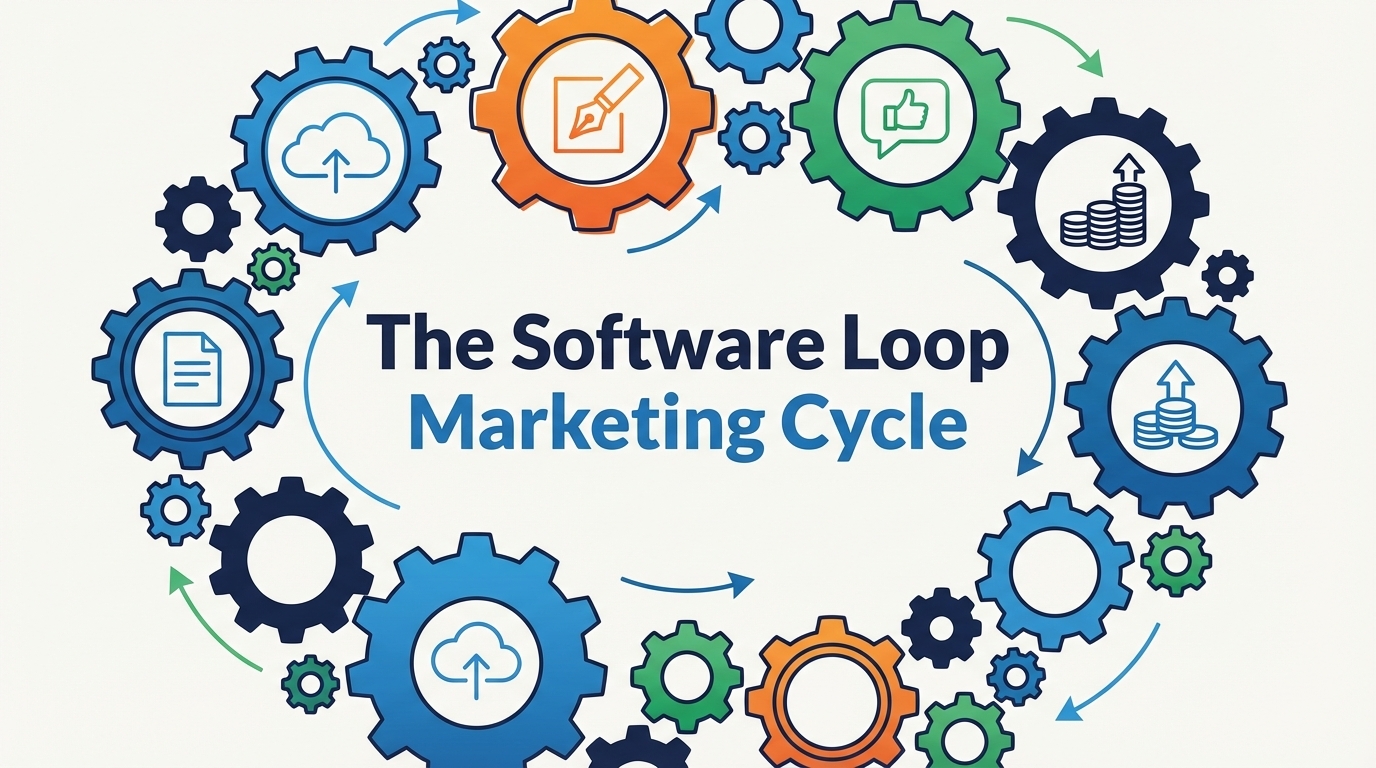
You don’t just need “more content.” You need a loop:
A repeatable way to capture what’s happening across your customer journey
Turn those insights into content
Publish across blog and social
Feed performance data back into your revenue strategy
HubSpot was built to be that loop—if you configure it the right way.
In this article, we’ll show you how to use HubSpot as the backbone of a Software Loop Marketing Cycle that fits directly into your RevOps strategy:
Capture revenue‑critical insights from across your go‑to‑market
Turn them into a prioritized content backlog
Build a blog engine in HubSpot
Multiply each article across social with HubSpot’s social tools
Close the loop with campaign and revenue analytics
Why CMOs Need a Software Loop Marketing Cycle
In RevOps terms, your content is not “just marketing.” It’s a revenue asset:
It shapes how prospects understand your product
It answers objections before sales ever hears them
It accelerates implementation and adoption
It feeds the data you need to optimize the full funnel
But without a closed loop:
Sales and success keep answering the same questions manually
Marketing publishes disconnected assets with unclear impact
You don’t know which topics actually drive qualified pipeline, not just clicks
Social: Short narratives like “A VP of Ops asked us last week, ‘Can you really pull all of this into one dashboard?’ Here’s how we answered.”
1.3. Capture product updates as content triggers
Instead of “we shipped a feature, let’s write a release note,” reframe each update as:
A new story you can tell about outcomes
A new objection you can answer
A new moment of value in the journey
Create a simple HubSpot‑connected backlog (spreadsheet, custom object, or project board) that records:
Feature name
Persona & lifecycle stage
Core problem it solves
Content ideas: 1 blog, 3–5 social posts, 1 enablement asset
This is your Software Content Backlog—the raw material for your loop.
Step 2: Turn insights into a prioritized content backlog
Now that you have signals, you need prioritization. For each idea, ask:
Does this topic help us win or expand high‑value deals?
Does it answer a question that appears often in tickets or sales calls?
Does it clarify something core to our positioning (not just a minor feature)?
Score your backlog on:
Revenue impact (high / medium / low)
Frequency of the underlying question or problem
Strategic fit with current company focus (e.g., new module, new segment)
Your top‑scoring items become this quarter’s content priorities.
Step 3: Build your blog engine in HubSpot
HubSpot’s blog tools give you a home base for your software content that plugs straight into your RevOps reporting.
3.1. Structure your blog for how CMOs think
Inside Blog: Align your categories/tags with CMO‑friendly themes, e.g.:
Revenue operations
Attribution & reporting
Implementation & onboarding
Data strategy
Product use cases
This makes it easier to plan editorial themes tied to revenue goals and report performance by topic area.
3.2. Use a repeatable software article structure
Most of your high‑performing software posts can follow a consistent pattern:
Who this is for: “If you’re a CMO or RevOps leader struggling with ___…”
Problem in their words: Use language you’re actually hearing on calls and in tickets.
Why this matters for revenue: Connect the problem to missed opportunities, slow sales cycles, or churn.
How to think about the solution: Give a clear mental model or framework.
Step‑by‑step using HubSpot: Show how to approach it in HubSpot (screens, workflows, reports).
Where your team/platform fits: Explain how your approach or implementation unlocks the full value—without turning it into a hard pitch.
Clear next step: E.g., book a RevOps Assessment, download your HubSpot Implementation Guide, or start with a specific report.
3.3. Use blog auto‑publishing as a safety net
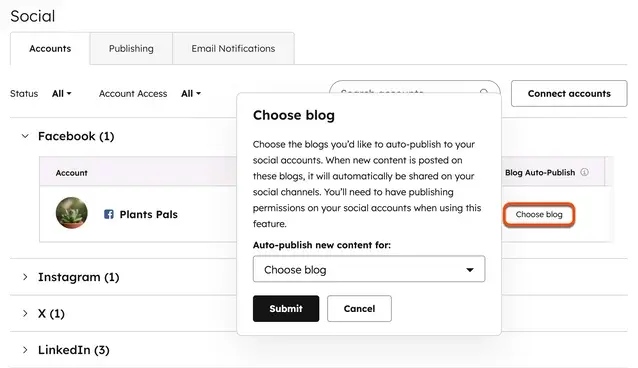
If your blog is hosted on HubSpot, turn on blog auto‑publishing to social so every new article automatically gets at least one promotion post.
Go to Settings → Marketing → Social
On the Accounts tab, in the Blog Auto‑Publish column, select Choose blog / Manage blogs
In the dialog, choose your blog(s) and click Submit
This auto‑post includes title, meta description, link, andfeatured image, ensuring your content never ships silently.
– Social settings page showing the “Blog Auto‑Publish” dialog where you select your HubSpot blog(s).
Step 4: Multiply each article across social with HubSpot’s social tools
Now you have strong blog content. The next step: turn each article into a mini social campaign.
4.1. Start in the HubSpot social composer
In your HubSpot portal: Navigate to Marketing → Social and click Create social posts. Use Select accounts to choose your LinkedIn Company Page and any key personal profiles. Paste your blog link and let HubSpot generate the link preview.
Visual idea #3 – social composer Screenshot: Social composer with LinkedIn + X selected and a blog URL pasted, showing previews on the right.
4.2. Create a “post set” for each article
From one article, you can reliably build 4–6 posts:
Big idea / POV post: Extract the central insight. (e.g., “Most CMOs aren’t struggling with content ideas—they’re struggling with structure.”)
How‑to / step post: Focus on one key step from the article.
Story post: Describe a (sanitized) client scenario.
Myth / objection post: Challenge a belief.
Data / result post: Share results from your own or client data.
You can use HubSpot’s AI (Breeze Assistant) directly in the composer to generate first drafts or hashtag suggestions.
4.3. Add visuals: product, process, and proof
In the social composer, add images or short videos. Great candidates include cropped screenshots of HubSpot dashboards or simple diagrams of your Software Loop Marketing Cycle.
Visual idea #4 – schedule view Screenshot: Social scheduling view with several posts stacked across your best engagement times.
4.4. Schedule strategically, not randomly
Go to Marketing → Social → Analyze and check the Top Posts report. Note the publish times of your most engaged posts. Then, under Settings → Marketing → Social → Publishing, configure your custom schedule. Use "Publish like a human" to vary timing slightly.
Step 5: Close the loop with campaign and revenue analytics
This is where the CMO in you really wins: you’re not just “doing content,” you’re measuring business impact.
5.1. Group assets into a single campaign
Create a campaign in HubSpot and associate your blog posts, social posts, emails, and landing pages. From there, you can see influenced contacts, new contacts, and deals/revenue tied to this body of content.
5.2. Use social & web analytics to refine your loop
Analyze which posts drive clicks and which topics attract the right audience. Feed those insights straight back into your backlog—and your next cycle begins.
A 30‑Day Plan to Launch Your Software Loop Marketing Cycle in HubSpot
Week 1 – Design the loop: Define inputs, align blog categories, and configure social schedules.
Week 2 – Ship Cycle #1: Choose a topic, publish a structured blog, and schedule 4-6 social posts.
Week 3 – Ship Cycle #2 and start measuring: Repeat with a second topic and monitor early performance.
Week 4 – Review and refine: Publish a third article informed by data and adjust your backlog based on pipeline impact.
Where Modgility Fits: Turning the Framework into a Working RevOps System
The process above works best when your HubSpot data, configuration, and reporting are clean and connected—exactly what your RevOps offer is designed to solve.
As your HubSpot RevOps partner, Modgility can help you:
Break down data silos so content, campaigns, and revenue share a single source of truth.
Implement the dashboards and attribution you need to see which software content actually drives qualified pipeline.
Build the workflows and integrations that turn your Software Loop Marketing Cycle into an operational habit.
If you’re a CMO who wants to run content like a revenue engine, your next step is simple:
Get started with a free RevOps Assessment and see how we can configure HubSpot to power your Software Loop Marketing Cycle end‑to‑end.
It is a repeatable RevOps process where customer insights from sales, support, and product are captured in HubSpot, turned into content, and fed back into the revenue strategy based on performance data.
How does HubSpot help with content attribution?
By grouping blog posts, social updates, and emails into a HubSpot Campaign, CMOs can track influenced contacts, deals, and actual revenue tied to specific content pieces.
Can I automate social media posting in HubSpot?
Yes. HubSpot’s blog auto-publish feature automatically shares new articles to your connected social accounts, ensuring consistent promotion without manual effort.

No Comments Yet
Let us know what you think