
Share this
by Keith Gutierrez on Apr 22, 2026
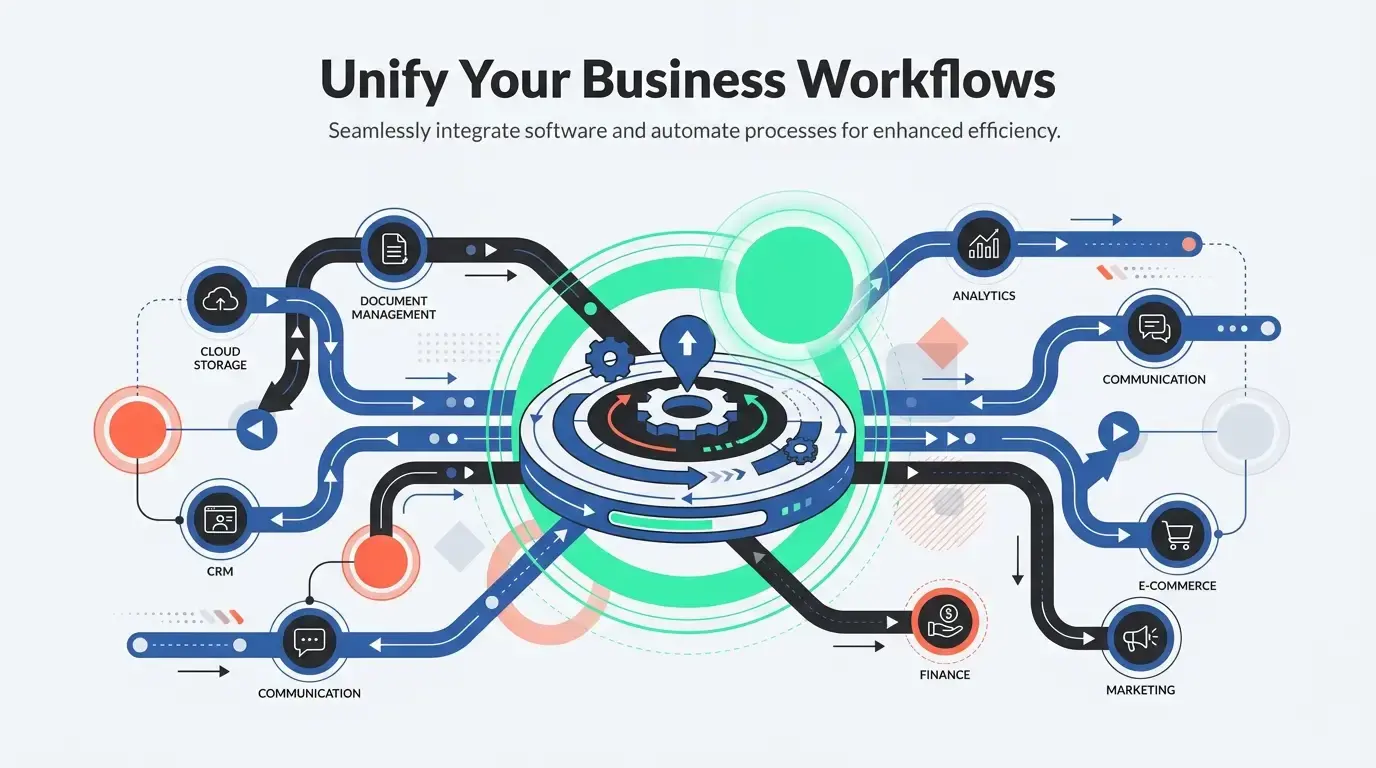
HubSpot streamlines cross-departmental workflows, enhancing overall company efficiency. By centralizing data and automating manual tasks, HubSpot’s integrations and tools facilitate collaboration across marketing, sales, and service departments, eliminating internal bottlenecks and driving operational growth.
What You'll Learn
- Unified Data: How centralizing your CRM breaks down isolated data silos between sales and marketing.
- System Integration: The vital role of connecting legacy software (like ERPs) to ensure company-wide visibility.
- Task Automation: Why automated workflows prevent cross-departmental bottlenecks and improve overall efficiency.
- User Adoption: How expert setup and training ensure your teams actually use the tools to generate maximum ROI.
Breaking Down Silos Between Sales and Marketing
One of the biggest hurdles companies face is a disconnect between the marketing team generating leads and the sales team closing them. When these departments use separate systems, data gets lost, and lead conversion rates drop.
Through a strategic HubSpot Implementation, businesses can unify these departments under a single source of truth.
.webp?width=768&height=1596&name=breaking-down-sales-marketing-silos-20260422-151238).webp)
Proper setup ensures that marketing and sales are looking at the exact same data. Marketing teams benefit from automated lead nurturing and segmentation, while sales teams gain immediate visibility into pipelines and activity tracking. By configuring HubSpot to reflect real business processes, leads are automatically routed to the correct sales reps at the precise moment they are ready to buy.
Benefits of Unified Departmental Data:
- Elimination of Duplicate Data: Prevents the frustrating inconsistencies that occur when teams use isolated spreadsheets.
- Higher Conversion Rates: Smooth handoffs from marketing to sales ensure no prospect falls through the cracks.
- Better Personalization: Sales reps can see exactly which marketing emails a prospect opened, allowing for highly tailored conversations.
Integrating Disparate Business Systems
Cross-departmental workflows often rely on a variety of different software platforms. Your finance or operations team might rely on a legacy ERP, while customer service uses a separate ticketing system.
When executing a professional HubSpot Implementation, experts can seamlessly connect these external systems directly into your CRM.
For example, integrating an ERP system like Quickbase with HubSpot allows sales representatives to be significantly more efficient in their activities while giving management better insight into overall performance. This ensures that when a deal closes in sales, the data instantly populates in the operational software used by the fulfillment team.
.webp?width=1376&height=768&name=technical-process-flow-diagram-20260422-152038).webp)
Benefits of Seamless Integrations:
- Streamlined Operations: Eliminates the need for manual data entry across different platforms.
- Holistic Business Insights: Provides leadership with a complete, 360-degree view of the customer journey from acquisition to fulfillment.
- Time Savings: Teams spend less time hunting for information in unfamiliar software and more time executing their core tasks.
Automating Cross-Functional Tasks and Reminders
.webp?width=1376&height=768&name=sales-team-automated-task-notification-20260422-151920).webp)
Manual handoffs between departments are prime locations for delays and bottlenecks. If a sales rep forgets to notify the onboarding team that a new client has signed, the entire customer experience suffers.
By investing in a customized HubSpot Implementation, businesses can build automated triggers that eliminate human error.
A well-configured setup allows you to build workflows that mirror your actual operational steps. When a deal reaches a specific pipeline stage, HubSpot can automatically trigger follow-up reminders, send welcome emails, and assign onboarding tasks to the customer service department.
Benefits of Automated Workflows:
- Increased Efficiency: Routine administrative tasks are handled by AI and automation, freeing up human capital.
- Predictable Processes: Every customer receives the same high-quality, standardized experience, regardless of which team member is handling their account.
- Reduced Friction: Automated alerts ensure the next department in the workflow is immediately notified when it is their turn to act.
Ensuring High User Adoption and Accurate Reporting
Even the most powerful software is useless if your cross-functional teams do not understand how to use it. Without proper guidance, businesses often underutilize automation features and fail to configure dashboards correctly.
A comprehensive HubSpot Implementation, process ensures high user adoption and accurate reporting across departments by pairing technical setup with dedicated training and enablement.
Expert implementation includes hands-on workshops and tailored training to ensure every department is confident using the platform. Furthermore, correctly configured reporting dashboards ensure that leadership across all departments has access to accurate, real-time performance KPIs.
Benefits of Expert Enablement:
- Improved User Adoption: Teams actually use the system because it is customized to make their specific jobs easier.
- Accurate Leadership Reporting: Executives can make data-driven decisions based on clean, reliable metrics.
- Long-Term ROI: Periodic health checks and strategy reviews ensure the platform continues to serve evolving company goals.
The Value of Doing It Right the First Time
Streamlining cross-departmental workflows requires more than just purchasing a software license; it requires a deep understanding of how your teams interact. By prioritizing professional configuration, you prevent misaligned processes and ensure your technology actively breaks down silos, saving time and driving measurable business growth.
Frequently Asked Questions
How does HubSpot break down silos between sales and marketing?
HubSpot centralizes your CRM to act as a single source of truth for both departments. It automates lead nurturing and segmentation for marketing, while giving sales immediate visibility into pipelines and activities, ensuring leads are properly routed and conversion rates improve.
Can HubSpot integrate with existing business software like ERPs?
Yes, HubSpot can seamlessly connect with disparate external systems, including legacy ERPs and ticketing software. This ensures that closed deal data instantly populates into operational systems, eliminating manual data entry and providing a 360-degree view of the customer journey.
How does HubSpot automate cross-functional tasks?
HubSpot uses automated workflows that trigger based on specific pipeline stages to eliminate human error. It can automatically send follow-up reminders, welcome emails, and instantly assign onboarding tasks to the customer service department without manual handoffs.
Why is expert HubSpot implementation important for user adoption?
Expert implementation pairs technical setup with hands-on workshops and dedicated training. By customizing the platform to make specific jobs easier, teams are more confident using the software, resulting in higher user adoption and highly accurate, real-time reporting for leadership.
No Comments Yet
Let us know what you think